

This page covers private chats. A bot in a group chat is configured differently: see Telegram Groups.
Connect a bot
Open the AI Employee → Channel tab → Connect New → Telegram.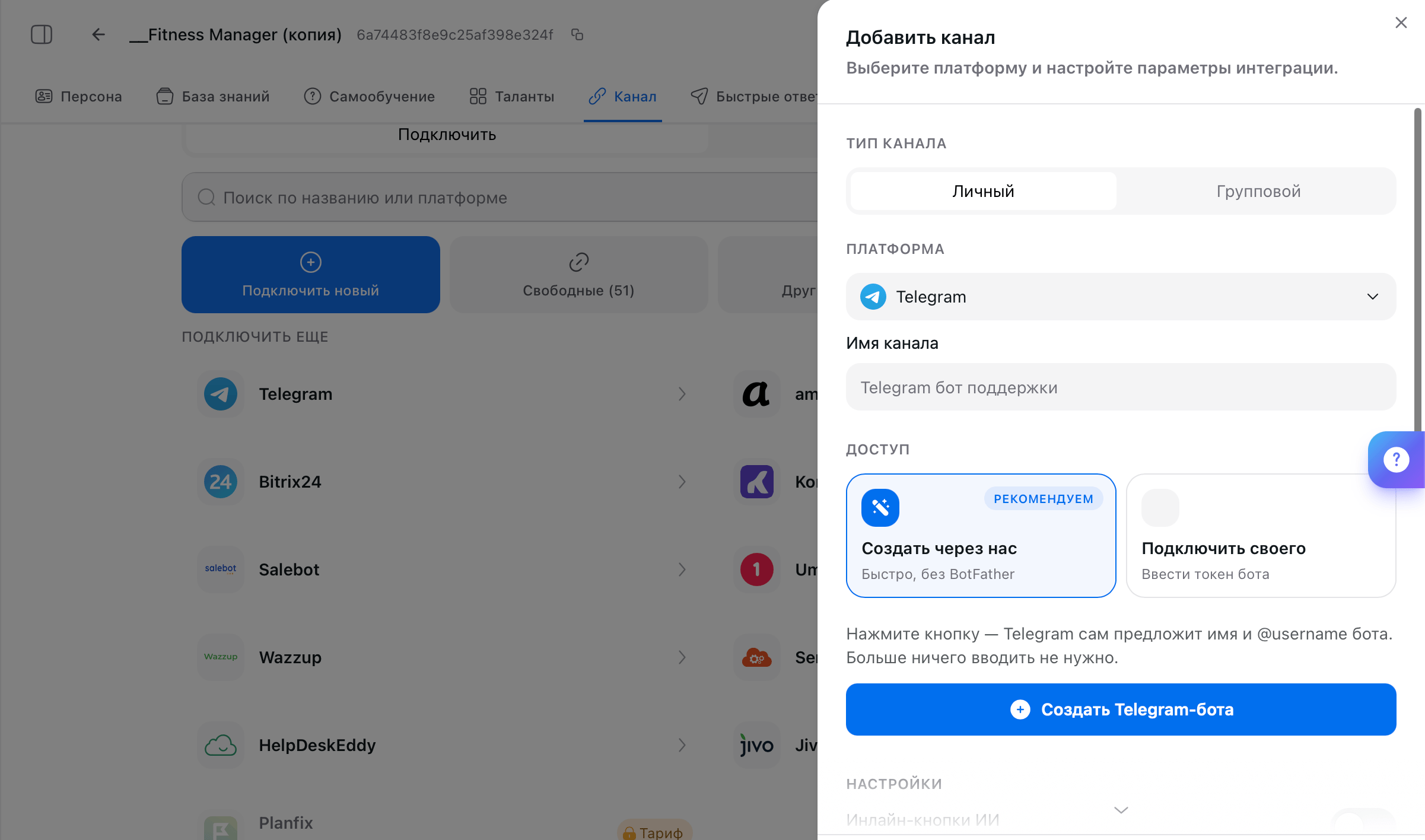
- Create with us
- Connect your own
Leave Create with Us selected and click the blue Create Telegram Bot button. The platform opens Telegram and suggests a name and
@username for you, so you don’t need to enter anything, and the bot comes back to AI TEXTURA ready to go.You can change the name and look later: the created bot has a Configure button.Replies from your account
Your AI Employee can reply from your personal or work account instead of the bot. The customer sees a familiar profile and can’t tell they’re talking to AI. The bot stays in place and works as the engine behind the account.Channel settings
These expand at the bottom of the same panel when you create a channel, and you can open them later by clicking the channel on the Connected tab.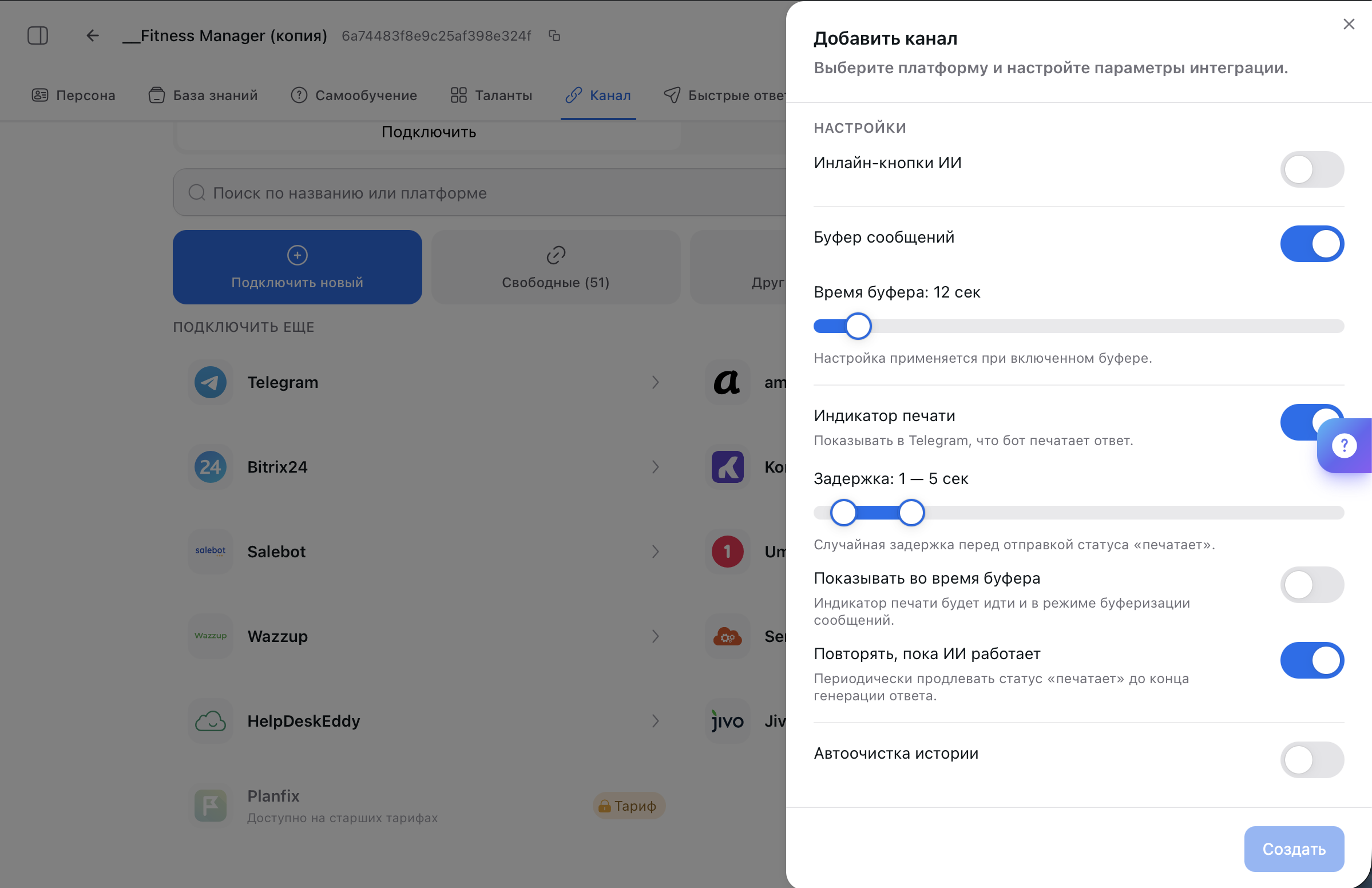
Voice messages
Telegram is the only channel where the AI Employee understands voice messages: it transcribes them and replies in text. If text-to-speech is enabled in the AI Employee’s settings, the reply also comes as a voice message.FAQ
How to rename the bot and change its avatar
How to rename the bot and change its avatar
You change the display name and picture in @BotFather with the
/setname and /setuserpic commands. The @username, however, is permanent in Telegram: for a new handle, you’ll need to create another bot and connect it in place of the old one.Does the bot's username have to end in bot
Does the bot's username have to end in bot
Yes, this is a Telegram requirement, not a platform one:
ReveltonAssistantBot works, RevAssistant doesn’t. Keep this in mind when choosing a name in @BotFather.There's a bot label under the bot's name. Can I remove it?
There's a bot label under the bot's name. Can I remove it?
No. Telegram adds this label to every bot without exception. If you want a profile your customers are used to, connect replies from your account through Telegram Business.
Can I connect one bot to two AI Employees
Can I connect one bot to two AI Employees
No, a channel is linked to one AI Employee. If you need two, create a second bot in @BotFather and connect it as a separate channel.
The AI Employee replies in groups, but I only want it in private messages
The AI Employee replies in groups, but I only want it in private messages
The bot has been added to groups, and they come through the same channel. Turn off processing for those conversations in Chats, or remove the bot from the groups. For how a bot works in a group chat, see Telegram Groups.
People find the test bot in search, and customers message it by mistake
People find the test bot in search, and customers message it by mistake
Change its display name to something neutral and remove the branded avatar in @BotFather (
/setname, /setuserpic). The bot will no longer show up when people search for your company name, and you can open it via a direct link.What’s next
Telegram Groups
A bot in a group chat: mentions, AI trigger, digest
Messengers
WhatsApp, Instagram, VK, Avito through a channel manager
Persona
How the AI Employee runs conversations and what tone it uses
Notifications
Learn about important events in time